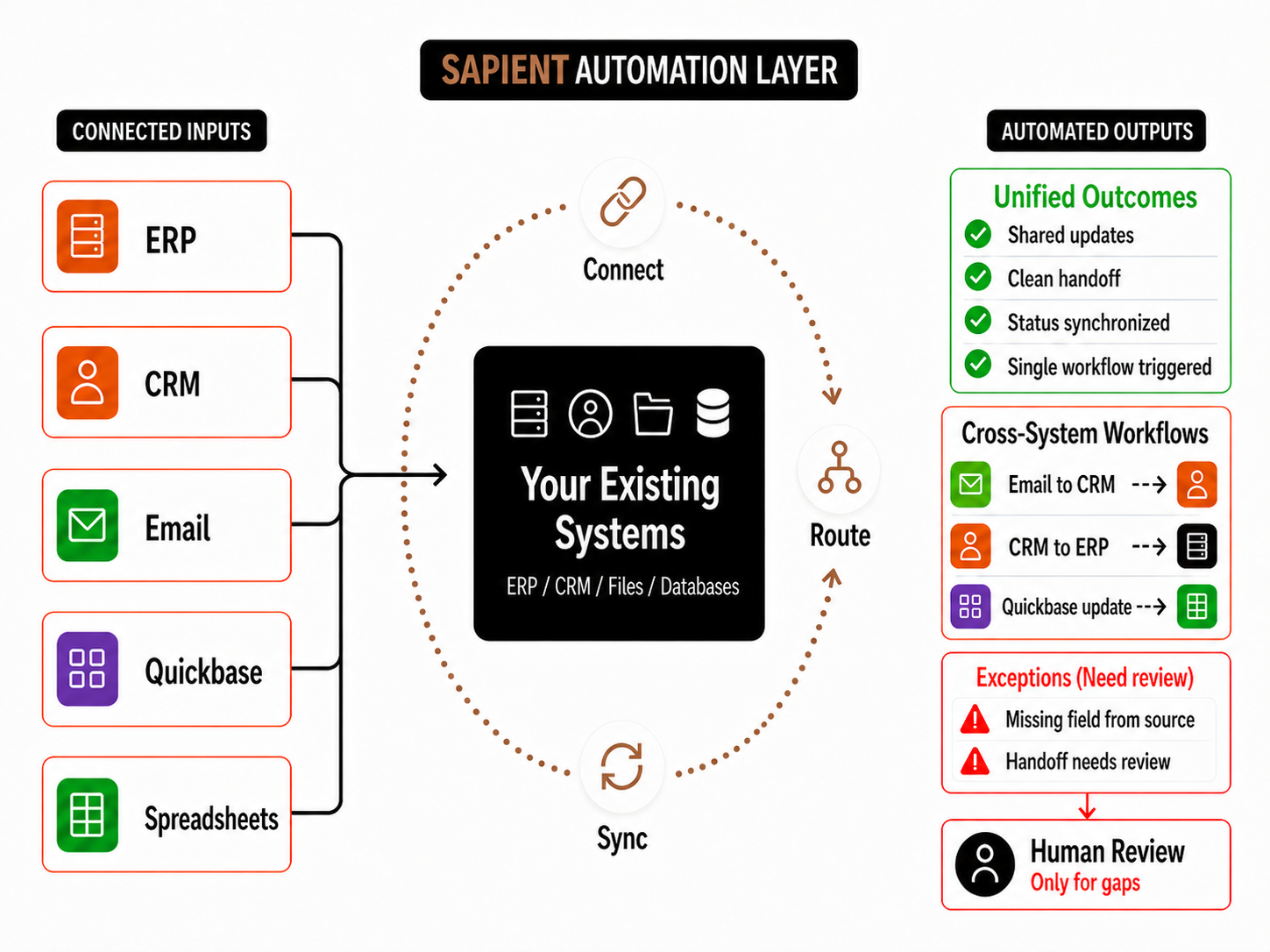
Concept Overview
Connect the tools teams already use so updates move without duplicate entry.

Practical examples of how Sapient connects existing tools, files, databases, and workflows so teams can reduce duplicate entry, improve handoffs, and keep current systems working together.
Connect the tools teams already use so updates move without duplicate entry.
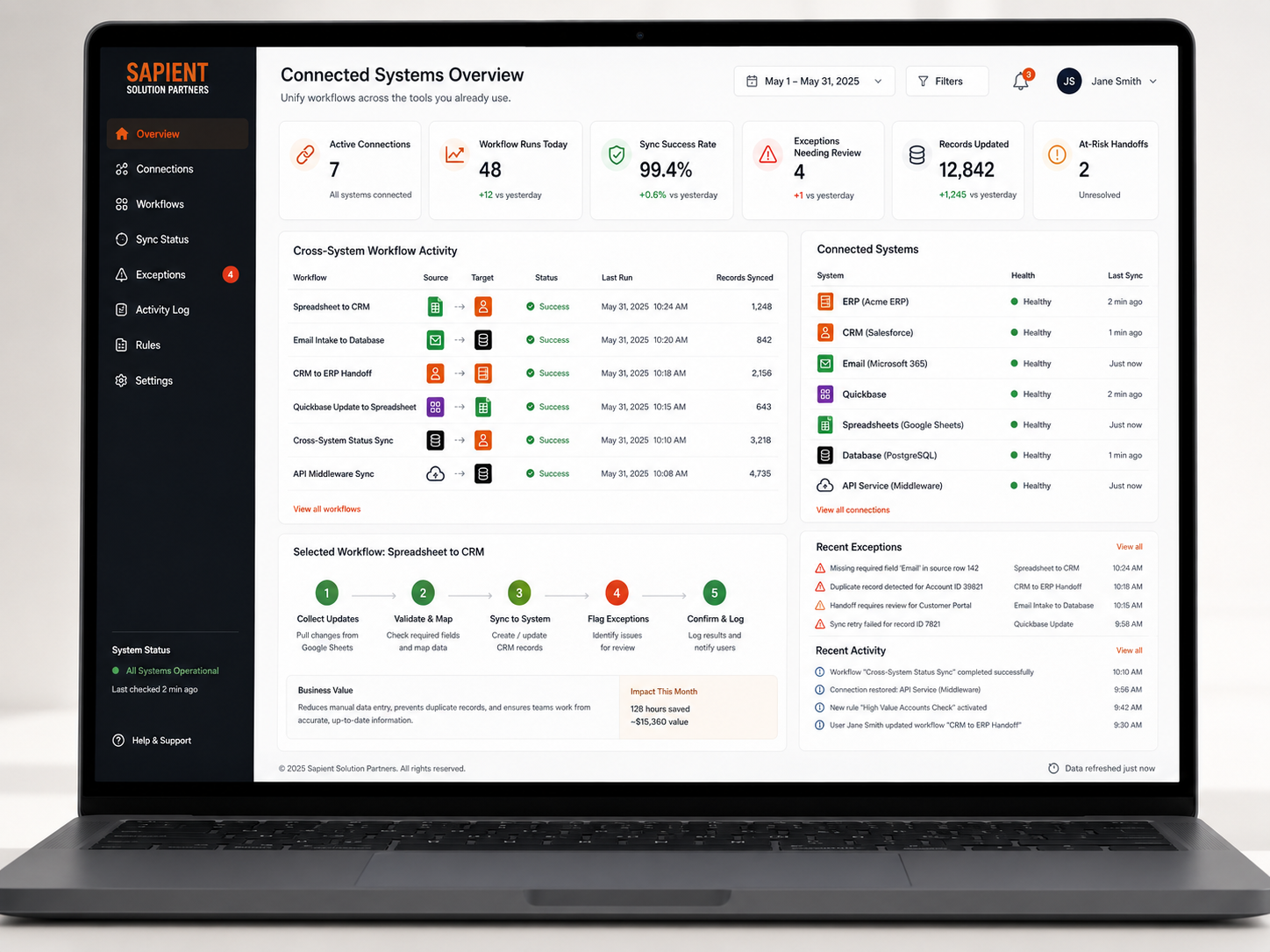
Track workflow runs, sync health, connected systems, exceptions, and activity in one integration view.
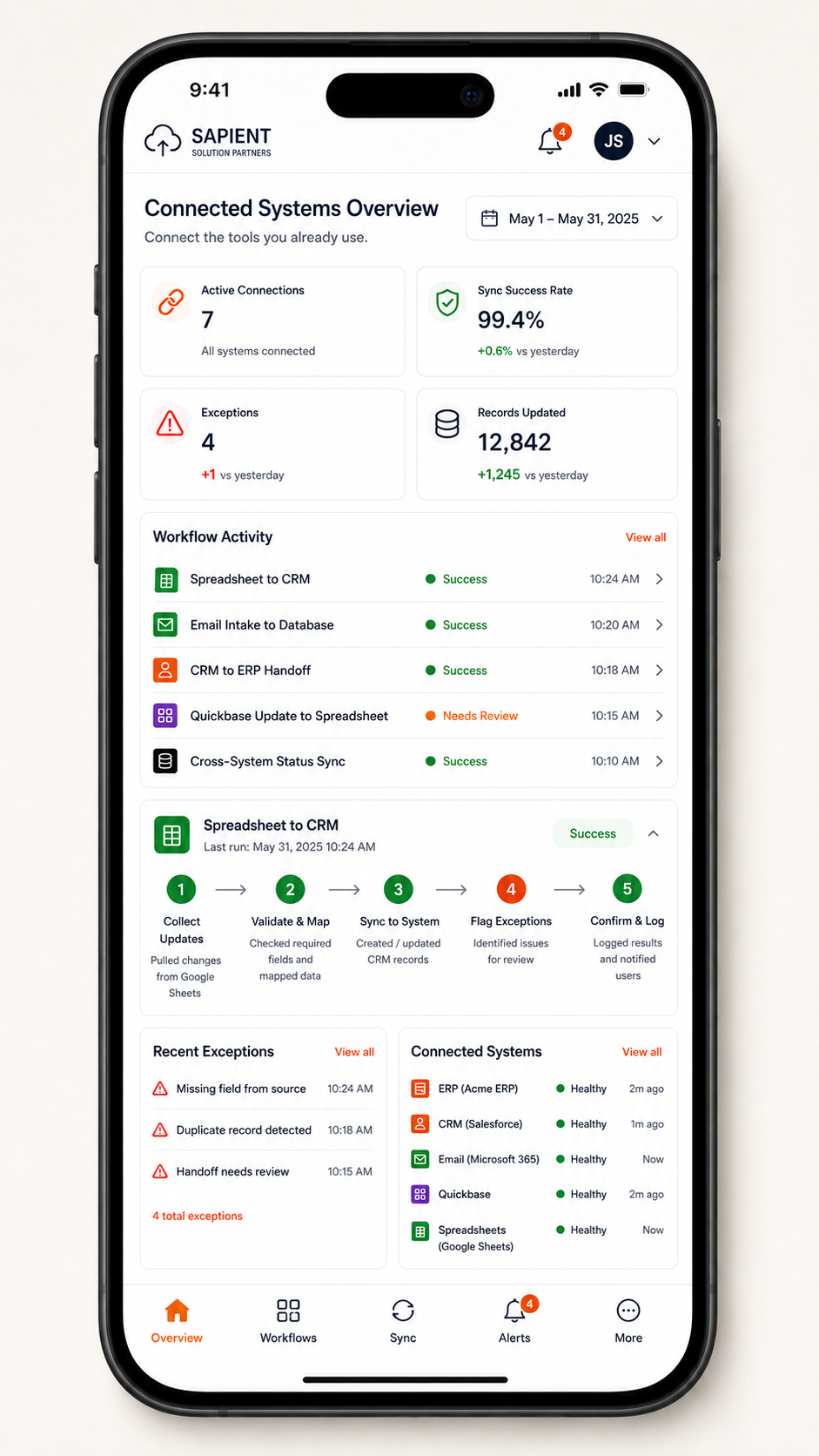
Give teams a compact view of connection health, workflow status, and recent exceptions.
Example Workflow
Teams often use spreadsheets to collect and update operational information, but manually transferring that data into downstream systems creates delays, errors, and unclear ownership.
A structured integration workflow reduces duplicate entry, improves data quality, and gives teams visibility into what synced successfully and what needs attention.
Receive spreadsheet, form, file, or system updates from the team's current process.
Check required fields, clean formatting, and map source values to the target system structure.
Create or update records in the connected system through APIs, database updates, or approved import workflows.
Surface missing data, duplicate records, failed syncs, or mismatched values for review.
Record what was updated, when it happened, and what still needs attention.
This connection pattern can be adapted to spreadsheet workflows, email/file intake, database updates, API integrations, Quickbase workflows, and cross-system handoffs.
Sample Stack Used - Representative tools and architecture we may use when requirements go beyond lightweight automation or simple service rules.






Start By Connecting What You Already Use
Sapient can help identify where your current tools, files, and workflows can be connected without forcing a full system replacement.